
How do I share a memory?Updated 7 days ago
You can share individual photos, videos, or audio—or an entire collection—from your Legacybox account using a private link or by email. Recipients can view what you share without creating a Legacybox account.
Share a single memory
Sign in to your Legacybox account at https://my.legacybox.com
Open a memory you want to share
From your homepage, select any photo or video thumbnail to open it.
Tap the share button
The share button appears above the memory in the toolbar.
Look for this icon:

Choose how you want to share
Copy link: Creates a private link you can paste into a text message or group chat.
Email: Enter one or more email addresses to send a viewing link directly.
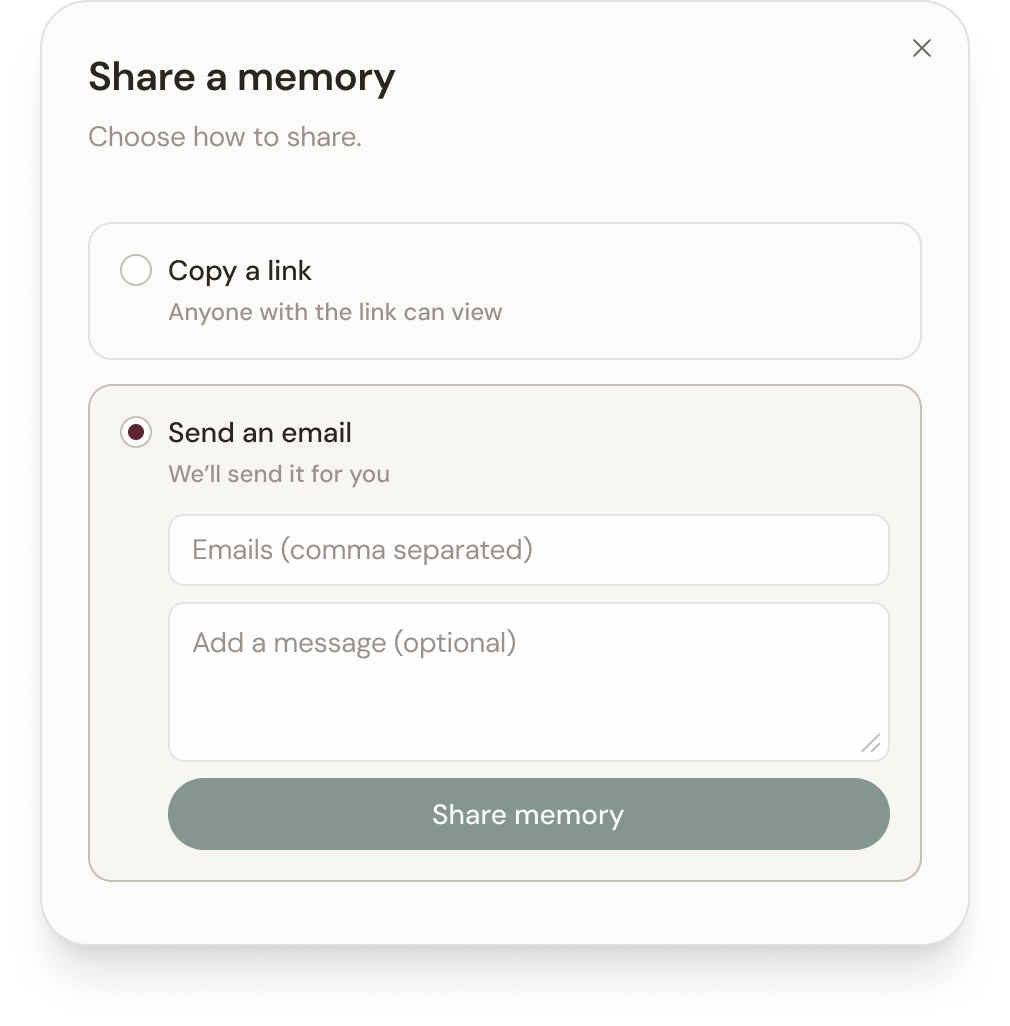
Share an entire collection
You can share all the memories in a collection at once—whether it’s a collection you created or an entire order.
Sign in to your Legacybox account at https://my.legacybox.com
Open the collection you want to share
This can be a collection you’ve created or one of your orders.
Tap the share button
Choose how you want to share
Copy link: Creates a private link you can paste into a text message or group chat.
Email: Enter one or more email addresses to send a viewing link directly.
How recipients access what you share
Whether your recipient receives a link or email, they will be prompted to enter their email address to access your memory.
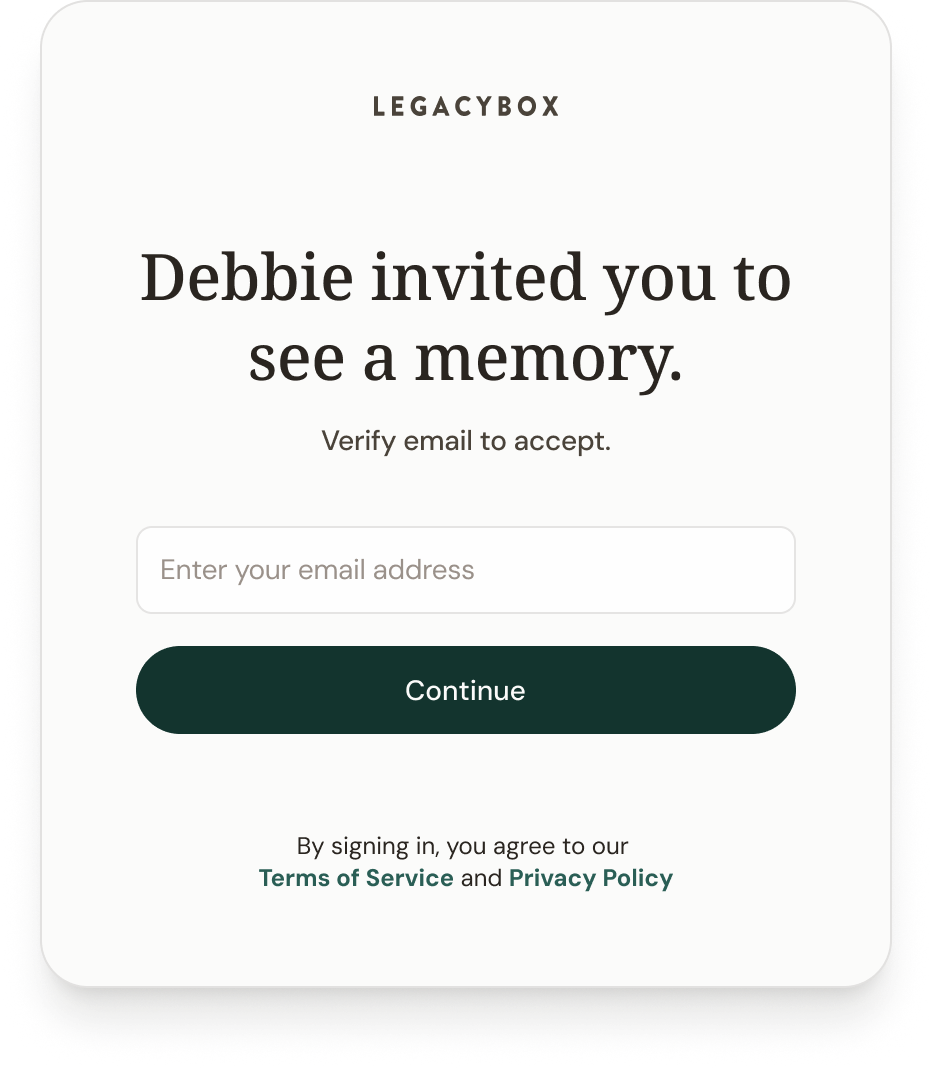
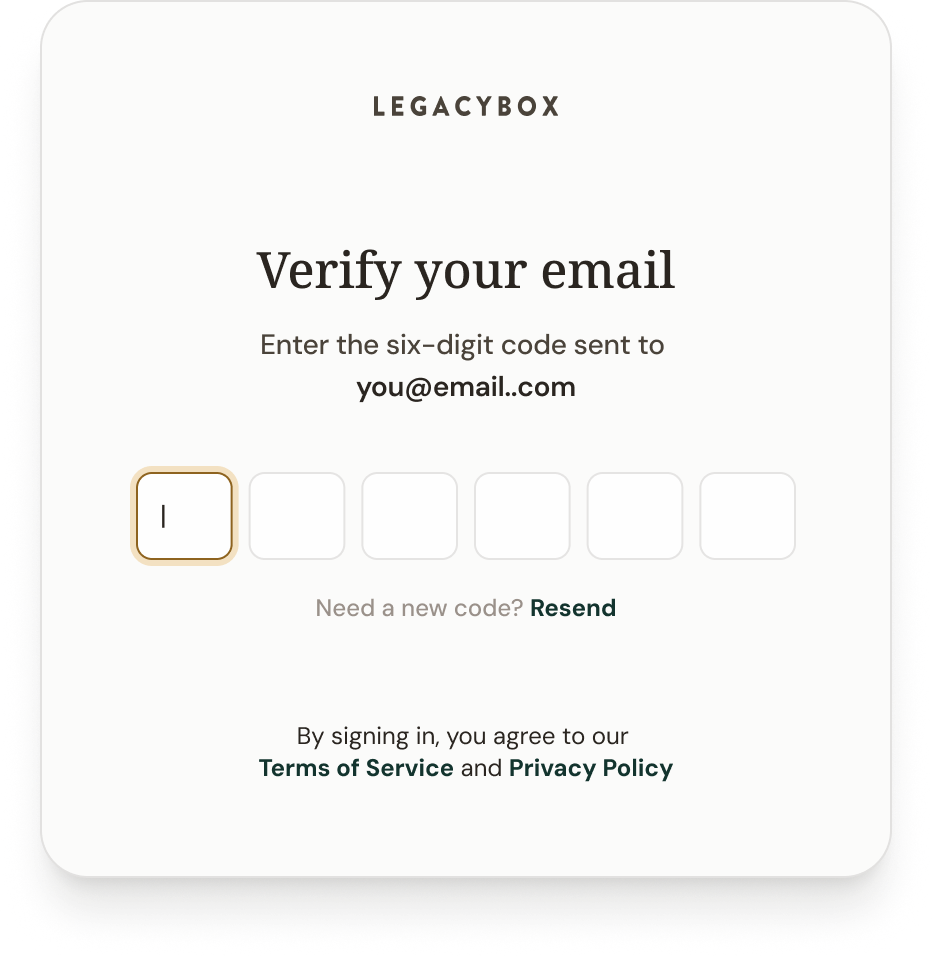
Once your recipient enters their email address, we will email them a six-digit code which they will use to verify their identity. This helps keep your memory secure.
Share from the Legacybox app
Open a memory in the Legacybox app on your iPhone or iPad
Tap Share
Choose Messages, Mail, or AirDrop
The app sends a copy of the file rather than a Legacybox link. You can share one memory at a time from the app. To share a collection or an entire order, use the website. More on sharing from the app.
Note
Sharing a collection shares all memories currently in it.
You can share a single memory or a collection as many times as you’d like.